
Archive
Virtualisation:Go beyond doing more with less
Source : Microsoft Technet
Go beyond doing more with less and reducing your carbon footprint; virtualization enables a more agile, responsive infrastructure and lays the foundation for cloud services.
By Mitch Irsfeld
With IT departments wedged between limited budget growth in 2011 and the expectations for new services–especially cloud computing–getting in the virtualization game has become a virtual no-brainer. The reason: Running enterprise workloads on virtual machines not only positions your existing IT infrastructure for cloud services, it delivers substantial savings over physical servers and enables a more agile, scalable and resilient server environment…
To read the comple article go to : http://technet.microsoft.com/en-au/magazine/gg591293.aspx
SCVMM for VDI deplyoments: tuning
SCVMM as a platform
While most people are aware of SCVMM (System Center Virtual Machine Manager) being used for managing virtualized datacenters, it’s probably less well known that a number of partners have built products using SCVMM as a platform by using the powershell based API. Products that use SCVMM as a platform include Citrix XenDesktop, Quest vWorkspace and Visual Studio Lab Management (this is not an exhaustive list by any means). Two of those products (XenDesktop and Quest workspace) are VDI (Virtual Desktop Infrastructure) management products that can be used to manage VDI desktop VMs.
VDI
VDI management has different usage patterns compared to server virtualization management. For example, VDI VMs are powered on during the morning when the users need to log on to their desktops and they get powered off in the evening after users log off (all this is controllable via policy). So it’s fairly common to power on large number of VMs in a short period of time which causes a spike in load on VMM to handle large number of parallel jobs. These kind of spikes in load can cause the system to become overloaded. While we continue to make improvements in future versions of SCVMM to handle such scenarios, this post is about best practices for configuring SCVMM 2008 R2 for managing VDI environments. The size of the environment is around 1000 desktop VMs, if you have larger environments, you’ll probably need to use multiple instances of SCVMM
to read the full article : http://blogs.technet.com/b/vishwa/archive/2011/02/01/tuning-scvmm-for-vdi-deployments.aspx
Microsoft Hyper-V Cloud Fast Track with Dell technology
Curious about Cloud ?
- Should you use public cloud offerings from providers, build your own private cloud, or develop a hybrid of both?
- What cloud-based services are right for you?
- What are the best practices and proven process for implementing cloud technologies that minimize risk and maximize success?
Microsoft in partnership with Dell
Microsoft Hyper-V Cloud Fast Track is a reference architecture for building private clouds that combines Dell technology, including servers, networking and storage, with Microsoft software, technical guidance and validated configurations.
Hyper-V Cloud Fast Track solutions offer a turnkey approach to delivering scalable, preconfigured, validated infrastructure platforms for on-premises private cloud implementations. With local control over data and operations, your IT can dynamically pool, allocate, secure and manage resources for agile IaaS. Likewise, business units can deploy line-of-business applications with speed and consistency using self-provisioning and automated data center services in a virtualized environment.
Hyper-V Cloud Fast Track solutions offer:
- Faster deployment — Rich features and support make private clouds easy to deploy.
- Reduced risk — Validated configurations mean you can implement with confidence.
- Dell advantage — Dell provides business-ready configurations for virtualization that are optimized for Microsoft Hyper-V.
Dell Business-Ready Configurations for Microsoft Hyper-V Cloud Fast Track
Dell offers a range of pre-engineered, business-ready configurations that conform to Microsoft’s Hyper-V Fast Track reference architecture:
- Business-Ready Configurations: Hyper-V, Rack Servers, 10 Gigabit Ethernet (GbE) Internet SCSI (iSCSI)
Designed for large-enterprise deployments using 10 GbE iSCSI storage - Business-Ready Configurations: Hyper-V, Rack Servers, iSCSI Storage
Designed for small and medium deployments - Business-Ready Configurations: Hyper-V, Rack Servers, PowerVault Internet SCSI (iSCSI)
Designed for small, medium and remote deployments - Business-Ready Configurations: Hyper-V, Blades, Fibre Channel (FC) Storage
Designed for a range of deployment sizes using FC storage
SCVMM 2008 R2 SP1 RC is now ready to download
For those who are participant in a Microsoft Connect beta program : SCVMM 2008 R2 Beta :
The SCVMM 2008 R2 Service Pack 1 Release Candidate is now ready to download from https://connect.microsoft.com/site799
This release adds support for Windows Server 2008 R2 SP1 RC to SCVMM. We’ve added the necessary properties and controls to allow you to create and manage Dynamic Memory and RemoteFX enabled on virtual machines on Windows Server 2008 R2 SP1 Hyper-V hosts.
Since this is a pre-release version, usage of this is limited to test environments. You’re encouraged to ask questions via theSCVMM forums
Windows 7 and Windows Server 2008 R2 SP1 RC. Detailed list of Improvements and others questions
Microsoft has made available a Release Candidate (RC) for Service Pack 1 for Windows Server 2008 R2 and Windows 7. SP1 includes both a roll-up of operating system updates and several new capabilities for Windows Server.
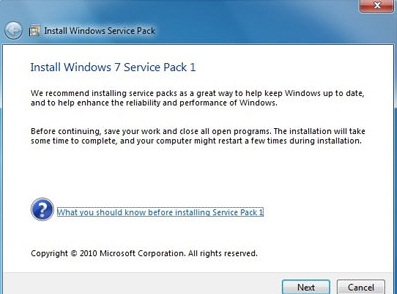
Q: Can I install the Release Candidate over the Beta of SP1?
A. No. You must uninstall the beta.
Q: Can I install the RC on an evaluation version of Windows 7 or Windows Server 2008 R2?
A. Yes. The RC of SP1 can install on RTM evaluation versions of Windows 7 and Windows Server 2008 R2.
Q: There are several downloads available. Which one should I choose?
A: There are two ways you can obtain the service pack RC. You can download a special key to enable Windows Update to offer you the service pack RC, or you can download the service pack directly. For each download method, you should choose the correct download for your platform (x86, IA64 or x64).
Q: Should customers who are considering deploying Windows 7 wait for SP1?
A: No. Windows 7 is a high quality release and provides many benefits to consumers and businesses alike. SP1 will include all updates previously available to Windows 7 users through Windows Update, so there is no reason to wait or delay their use of Windows 7.
Q. Can I upgrade from the RC builds to the final build of SP1?
A. No. You will have to uninstall the Service Pack or do a clean install of Windows 7 or Windows Server 2008 R2.
Q. Will there be a slipstream build of SP1 RC?
A. No. The RC will only be available as the service pack update itself. You will need to have a release to manufacturing (RTM) version of Windows 7 or Windows Server 2008 R2 to install the RC of the service pack.
Q. What languages will be released at RC?
A. For RC, we will release English, French, German, Japanese, and Spanish.
Q: Which improvements are included in Windows Server 2008 R2 SP1?
A.
• Dynamic Memory – Dynamic Memory allows for memory on a host machine to be pooled and dynamically distributed to virtual machines as necessary. Memory is dynamically added or removed based on current workloads, and is done so without service interruption.
• Microsoft RemoteFX – a new set of remote user experience capabilities that enable a media-rich user environment for virtual desktops, session-based desktops and remote applications
• Enhancements to scalability and high availability when using DirectAccess – improvements have been made to enhance scalability and high availability when using DirectAccess, through the addition of support for 6to4 and ISATAP addresses when using DirectAccess in conjunction with Network Load Balancing (NLB).
• Support for Managed Service Accounts (MSAs) in secure branch office scenarios – enhanced support for managed service accounts (MSAs) to be used on domain-member services located in perimeter networks (also known as DMZs or extranets).
• Support for increased volume of authentication traffic on domain controllers connected to high-latency networks – more granular control of the maximum number of possible concurrent connections to a domain controller, enabling a greater degree of performance tuning for service providers.
• Enhancements to Failover Clustering with Storage – SP1 enables enhanced support for how Failover Clustering works with storage that is not visible for all cluster nodes. In SP1, improvements have been made to the Cluster Validation and multiple Failover Cluster Manager wizards to allow workloads to use disks that are shared between a subset of cluster nodes.
Q: Which improvements are included in Windows 7 SP1?
A.
• Additional support for communication with third-party federation services – Additional support has been added to allow Windows 7 clients to effectively communicate with third-party identity federation services (those supporting the WS-Federation passive profile protocol).
• Improved HDMI audio device performance – Updates have been incorporated into SP1 to ensure that connections between Windows 7 computers and HDMI audio devices are consistently maintained.
• Corrected behavior when printing mixed-orientation XPS documents – Prior to the release of SP1, some customers have reported difficulty when printing mixed-orientation XPS documents (documents containing pages in both portrait and landscape orientation) using the XPS Viewer, resulting in all pages being printed entirely in either portrait or landscape mode. This issue has been addressed in SP1, allowing users to correctly print mixed-orientation documents using the XPS Viewer.
Q: Changes common to both client and server platforms:
A.
• Change to behavior of “Restore previous folders at logon” functionality – SP1 changes the behavior of the “Restore previous folders at logon” function available in the Folder Options Explorer dialog. Prior to SP1, previous folders would be restored in a cascaded position based on the location of the most recently active folder. That behavior changes in SP1 so that all folders are restored to their previous positions.
• Enhanced support for additional identities in RRAS and IPsec – Support for additional identification types has been added to the Identification field in the IKEv2 authentication protocol. This allows for a variety of additional forms of identification (such as E-mail ID or Certificate Subject) to be used when performing authentication using the IKEv2 protocol.
• Support for Advanced Vector Extensions (AVX) – Advanced Vector Extensions (AVX) is a 256 bit instruction set extension for processors. AVX is designed to allow for improved performance for applications that are floating point intensive. Support for AVX is a part of SP1 to allow applications to fully utilize the new instruction set and register extensions.
TechNet Radio: TechNet on: Virtualization Best Practices
About this Video : http://technet.microsoft.com/en-us/edge/technet-radio-technet-on-virtualization-best-practices.aspx
Join Keith Combs and Matt Hester as they discuss virtualization best practices with Microsoft Director, Edwin Yuen. Edwin was part of the System Center Virtual Machine Manager (SCVMM) team for several years and has talked with thousands of customers about their virtualization problems and solutions. Expect a lively discussion on Hyper-V, SCVMM, SANS, Clustering and other technologies used to create world class virtualization solutions.
Hyper-V : Virus scanning recommendations : exclusions
To protect your Hyper-V Host, we recommend that you install the antivirus software within the Host and also within virtual machine.
It also, may be necessary to configure the real-time scanning component within the antivirus software to exclude files and entire folders :
Configure the real-time scanning component within your antivirus software to exclude the following directories and files:
- Default virtual machine configuration directory (C:\ProgramData\Microsoft\Windows\Hyper-V)
- Custom virtual machine configuration directories Default virtual hard disk drive directory (C:\Users\Public\Documents\Hyper-V\Virtual Hard Disks)
- Custom virtual hard disk drive directories Snapshot directories Vmms.exe
- (Note: May need to be configured as process exclusions within the antivirus software)
- Vmwp.exe (Note: May need to be configured as process exclusions within the antivirus software)
Additionally, when you use Live Migration together with Cluster Shared Volumes on Windows Server 2008 R2, exclude the CSV path “C:\Clusterstorage” and all its subdirectories
Also exclude the root directory that contain your Virtual machines and configuration files
Also exclude the following files extensions :
VHD, VSV, ISO, AVHD, VFD, and XML,
Virtual Machine Servicing Tool 3.0 released
Virtual Machine Servicing Tool 3.0 helps you reduce IT costs by making it easier to update your offline virtual machines, templates, and virtual hard disks with the latest operating system and application patches—without introducing vulnerabilities into your IT infrastructure.
This Solution Accelerator provides automated tools and guidance that IT professionals can use to update offline virtual machines, templates, and virtual hard disks efficiently and without exposing them to security risks.
Click here to download : http://www.microsoft.com/downloads/en/confirmation.aspx?FamilyId=8408ECF5-7AFE-47EC-A697-EB433027DF73
To install the .msi package (VMServicing_X86.msi or VMServicing_X64.msi):
- Navigate to where you extracted the .zip file content on your hard drive.
- Double-click the .msi file you want to install.
- Accept the Microsoft Software License Terms.
- Follow the steps in the installation process to complete the installation.
- Find the installed files in C:\Program Files on your computer in the folder Microsoft Virtual Machine Servicing Tool.
Everyone should read this : Reducing the cost of virtualization using Microsoft Hyper-V and System Center
One of the first things you should do when thinking about virtualization is to understand the client environment : Asessment phase. During this phase you should list, understand and write down all workloads .
It’s that only? No, that are so many other variables. I found a good article at Microsoft Virtualization Blog Team that talk about this. Take a look at http://blogs.technet.com/b/virtualization/archive/2010/09/22/reducing-the-cost-of-virtualization-using-microsoft-hyper-v-and-system-center.aspx
Free eBook:Understanding Microsoft Virtualization Solutions — From the Desktop to the Datacenter
Learn about the benefits of the latest virtualization technologies and how to plan, implement, and manage virtual infrastructure solutions based on these technologies.
Free eBook:Understanding Microsoft Virtualization Solutions — From the Desktop to the Datacenter
Recommended Books


System Center 2012 R2 Virtual Machine

System Center Virtual Machine Manager 2012 Cookbook


 Cloudtidings.com
