
Home
> Microsoft, Virtualization > Uninstalling Windows 2008 R2/Windows 7 SP1 RC to install the RTM version
Uninstalling Windows 2008 R2/Windows 7 SP1 RC to install the RTM version
To remove the SP1 RC you have 2 options:
Option 1, using the GUI
1 Open the Control Panel->Programs->Programs and Features-> Installed Updates
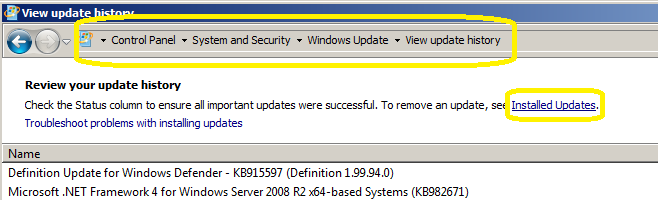
2 Select the kb:976932 and click Uninstall

Option 2 : command
If you tried to uninstall the SP1 by using the traditional Programs/Features -> updates installed without success, use this one:
wusa /uninstall /kb:976932
Comments (0)
Trackbacks (0)
Leave a comment
Trackback
Recommended Books


System Center 2012 R2 Virtual Machine

System Center Virtual Machine Manager 2012 Cookbook


 Cloudtidings.com